
DANA, e-wallet, mobile banking — kenzo your.
kenzo Slots Mobile Gaming Platform with Quick Login
Our slot games on kenzo run on Android apps and iOS browsers, optimized so they load quickly and perform smoothly even on standard mobile networks. We host classic and modern titles—Aviator, Sweet Bonanza, Gates of Olympus, Fortune Tiger, Mahjong Ways—each with clear mechanics and transparent payout rules displayed on your screen before you spin.
Every slot on kenzo operates independently. You set your stake, spin the reels, and the outcome displays immediately. Your account balance updates in real time, and we keep a full transaction history so you can review every session. We do not hide odds or require downloads of third-party software; everything runs within our platform.
How our slot games work on kenzo
Our slots on kenzo follow a simple cycle: you choose a stake amount, confirm the spin, and the reels turn. Once they stop, the game checks if your symbols match any winning combination. If they do, we credit the payout to your account balance immediately. If not, your stake is forfeited and you can spin again. Each spin is independent—previous results have no influence on future outcomes.
We display the symbol values and winning combinations on each game's information screen. Before you spin for the first time, tap the info icon to review the rules. You'll see which symbols pay the most, what multipliers apply, and whether there are bonus features like free spins or bonus rounds. This transparency means you're never guessing at how a game works.
Mobile performance is our priority. Our slots are built to run smoothly on both newer and older Android phones, and they work without lag on iOS Safari. The graphics scale to your screen size, so whether you're on a small phone or a tablet, the interface adapts. You can also reduce animation speed in settings if you prefer faster gameplay or want to conserve battery.

Mobile setup and account login
Setting up kenzo on your phone begins with account creation on our website. You provide an email, create a password, and enter your phone number. We send a verification code to confirm your email address. Once confirmed, you're ready to log in from your mobile device. We recommend using a password manager to store your kenzo credentials securely.
Android users can download our dedicated app from our website—it's about 50 MB and installs in two minutes. Once installed, tap the kenzo icon, enter your email and password, and you're logged in. iOS users don't need an app; simply open Safari or your preferred browser, navigate to our site, and log in the same way. We've built our interface to work identically on both platforms, so the experience is consistent whether you're on iPhone or Android.
We recommend enabling two-factor authentication through your account settings. This adds an extra security layer: after you enter your password, we send a code to your email or phone number. You enter that code to complete login. The process takes about 10 seconds and protects your account from unauthorized access. Two-factor is optional, but we strongly suggest it if you plan to deposit funds.
Session persistence on kenzo
Your login session stays active for up to 24 hours on the same device. If you log out manually or clear your browser cookies, you'll need to log in again. We never store your password in plain text; all login data is encrypted.
Slot varieties available on kenzo
We host multiple slot titles on kenzo, each with its own rules and payout structure. Aviator is a crash-style game where you watch a multiplier climb and decide when to cash out. Sweet Bonanza features cluster payouts and bonus rounds. Gates of Olympus offers cascading reels and free spins. Fortune Tiger and Mahjong Ways bring traditional Asian themes with modern mechanics. Each game is fully described in its info section before you place your first stake.
You can switch between games instantly from your kenzo lobby. There's no waiting period or account reset—your balance carries over from one game to the next. If you want to try a game without risking funds, some titles offer a demo mode where you play with virtual credit. Demo mode lets you learn the mechanics risk-free before depositing real money. We display which games have demo options in the game tiles.
-
1
Create and verify your kenzo accountStep 1
Email verification and basic identity confirmation take about subject to verification. You'll receive a confirmation code and can log in immediately after.
-
2
Download app or bookmark the websiteStep 2
Android: download from our site. iOS: bookmark kenzo.best in Safari for fast access.
-
3
Log in and explore slot titlesStep 3
Browse our slot library, read game info, and try demo mode if available.
-
4
Deposit and start spinningStep 4
Choose a payment method, fund your account, and place your first real spin.
Deposit methods and payment flow
We accept five major payment methods across Indonesia: e-wallet, mobile banking, local payment, online payment, and e-wallet. We also process bank transfers through mobile banking Virtual Account, local payment, online payment, and e-wallet. mobile banking transfers work from any participating institution. To deposit, navigate to your account menu and tap "Add Funds". We display each method and its processing time.
Mobile wallet transfers (local payment, online payment, e-wallet, mobile banking, local payment) confirm within minutes. Your phone opens the respective app when you tap the payment option, you confirm the transfer, and the funds arrive in your kenzo balance instantly. Bank transfers take standard banking time—typically 1 to 2 business hours during business days, longer on weekends. We generate a unique Virtual Account number for each deposit so funds reach your account correctly.
We do not charge deposit fees. The full amount you transfer reaches your kenzo balance. However, your bank or e-wallet provider may charge a small transfer fee on their end—we cannot control that. Check your payment provider's fee schedule if you have questions. Your kenzo account displays every deposit in your transaction history, so you can verify that funds arrived correctly.

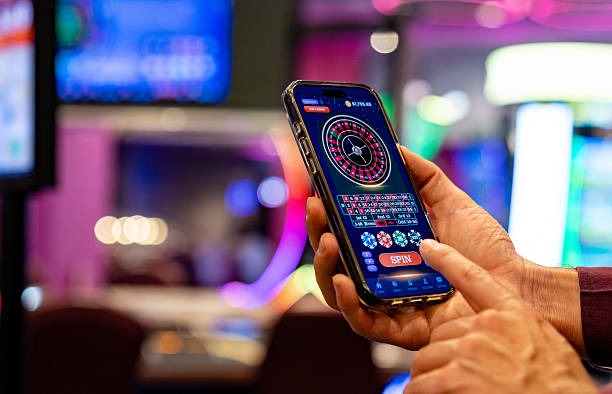

Data usage and mobile performance
Playing slots on kenzo uses minimal data. A typical 30-minute session consumes approximately 5–10 MB on standard quality settings. This is well within most mobile plans and far lighter than video streaming. We compress graphics and disable unnecessary background syncs, so you're not burning through data unnoticed.
We automatically adjust video quality based on your connection speed. If you're on slower 3G, animations may take a few extra milliseconds, but the game remains playable. You can also manually enable "low data mode" in your kenzo settings to reduce image quality further if you're on a tight allowance. This mode slightly reduces visual detail but cuts data consumption by roughly non-specific info.
We recommend playing over WiFi when available—it eliminates mobile data charges and typically provides faster response times. If you're playing on mobile data, monitor your remaining allowance. We display session duration and estimated data use in your account menu so you can plan longer play sessions accordingly. Our push notifications are lightweight and do not drain significant data in the background.
Our slots are built for mobile-first play, meaning every feature prioritizes speed and efficiency over eye candy. You get responsive gameplay without draining your battery or data.
Account verification and withdrawal process
Before you can withdraw funds, we require KYC verification. This is a one-time process: we ask for your full name, date of birth, and a copy of your national ID. Our team reviews these documents within a few business hours. Once verified, your account is cleared for withdrawals. This verification protects both you and our platform from fraud.
To withdraw, navigate to your account menu and tap "Withdraw". You'll see your current balance and a list of registered payment methods. Select the method you used for your original deposit (or choose a different registered method if you've linked multiple). Enter the withdrawal amount and confirm. We then review your request—this typically takes 24 to 48 hours during business hours—and send the funds back to your payment method.
Your withdrawal status appears in your account menu as "Pending" while under review, "Approved" once cleared, and "Complete" once funds reach your payment method. If you withdraw via online payment or e-wallet, funds typically arrive within minutes of approval. Bank transfers take standard processing time—usually 1 to 3 business days depending on your bank. We do not charge withdrawal fees; you receive the full amount you requested.
Push notifications and account alerts
We offer optional push notifications to keep you informed about important account events. If you enable notifications on the kenzo app (Android) or Safari (iOS), we'll alert you when a withdrawal is approved, when your balance reaches a low threshold, or when major sporting events like Liga 1 fixtures or Piala AFF matches are coming up. You control notification frequency entirely through your account settings.
Notifications do not affect performance or drain battery. They are lightweight text-based alerts sent through your phone's standard notification system. You can disable them entirely, or customize which categories you receive. For example, you might want withdrawal alerts but not promotional messages. If you uninstall the kenzo app, notifications automatically stop until you reinstall.
Key takeaways
- kenzo slots load quickly on mobile and use minimal data—typically 5–10 MB per 30-minute session
- Deposits via mobile banking, local payment, online payment, e-wallet, mobile banking, or bank transfers process within minutes to hours
- Withdrawals require KYC verification once, then take 24–48 hours for review plus standard bank processing time
- Your account balance syncs across all devices; login and session data is encrypted
- Push notifications are optional and fully customizable from your settings
- Services are available only where local law permits; users are responsible for verifying legal access in their jurisdiction
Account security and password management
Your kenzo account security depends on a strong, unique password. We recommend mixing uppercase, lowercase, numbers, and symbols, and storing it in a password manager rather than your phone's notes app. If you suspect your password has been compromised, log in to your account and select "Change Password" from your settings. We ask for your current password to confirm the change, then send a verification code to your email.
If you forget your password, visit the kenzo login page and tap "Forgot Password?". We send a reset link to your registered email. Click the link, confirm your identity with a verification code, and create a new password. The entire recovery process takes about subject to verification. We do not reset passwords via phone to prevent social engineering attacks; email-based recovery is more secure.
We store your account data on encrypted servers and never share it with third parties. Your transaction history is for your records and our compliance purposes only. We use industry-standard encryption for all login and payment data. If you have questions about how we handle your information, our support team can explain our data policies through the help section in your kenzo account.
Jurisdiction and service availability
Our kenzo services are available only where local law permits. We do not offer access in jurisdictions where online gaming is prohibited. Users are responsible for verifying that their access and use comply with their own jurisdiction's applicable regulations. If you are uncertain whether kenzo is legal where you are located, we recommend checking local regulatory resources before creating an account.
We support players across several Indonesian cities including Jakarta, Surabaya, Bandung, and Medan, subject to compliance with local laws. If you travel outside a supported jurisdiction, your account may temporarily become unavailable. We implement geo-blocking as required by law to ensure legal compliance. Your kenzo account will restore access once you return to a supported region.